
Render the web your way
Capture◆Annotate◆Collate
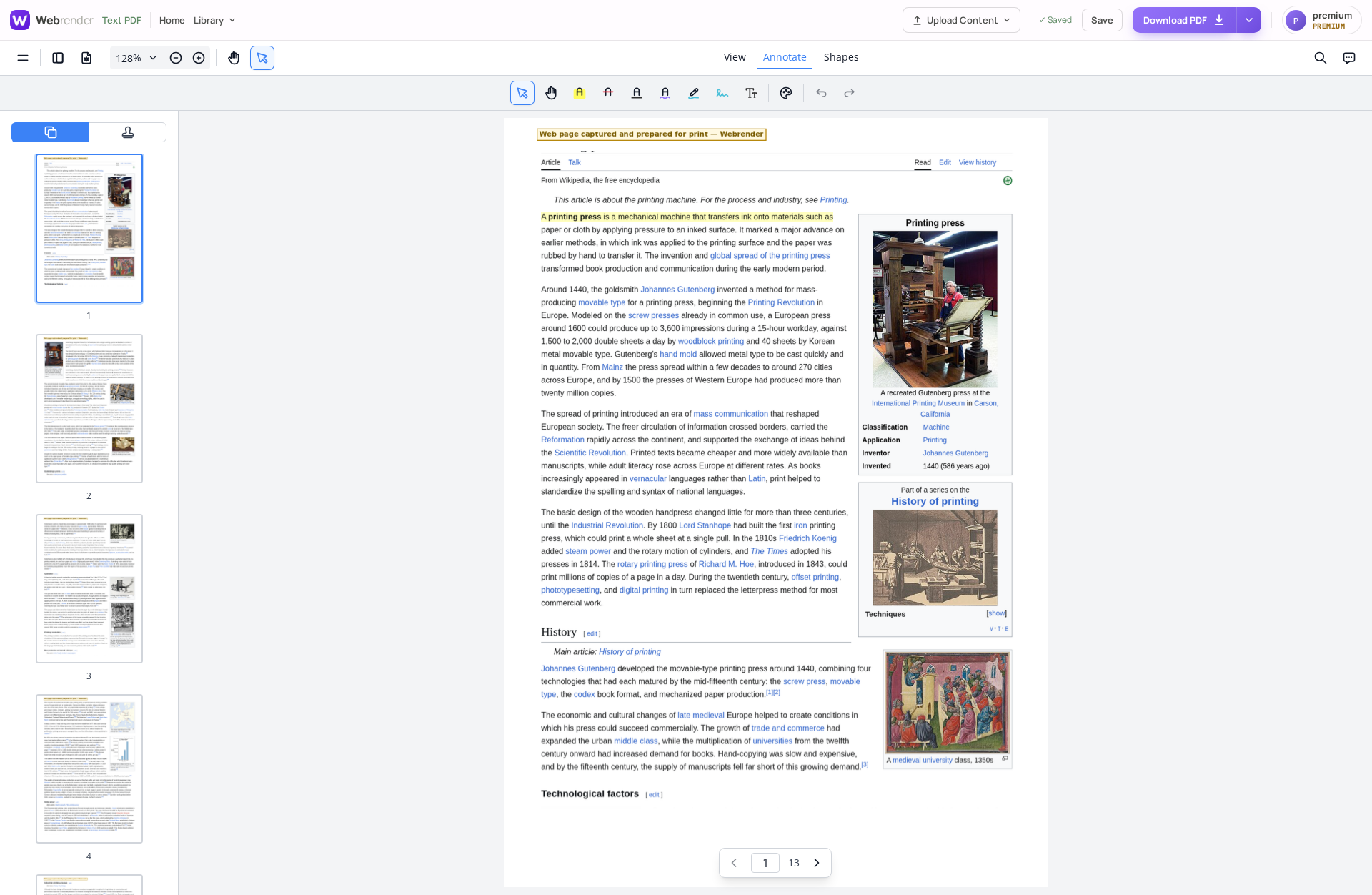
Clip the web, mark it up and shape into one paginated, printable PDF. One tool for your workflow from start to finish via Chrome with our extension.
Turn any web page into a text-aware, print-ready PDF
The Webrender Clipper extension lives in your Chrome toolbar. Click it on any live page and it captures the content with the real text kept — so you can annotate the actual words, search it later, and let your library self-organise it.
Then send it to your library or straight to a PDF — no copy-paste, no broken print dialogs. Combine captures, annotations intact, into high-fidelity prints of exactly what you clipped. Free to use. Upgrade to our Premium tools for more features.
or annotate a PDF now — no account needed.
One library for everything you keep
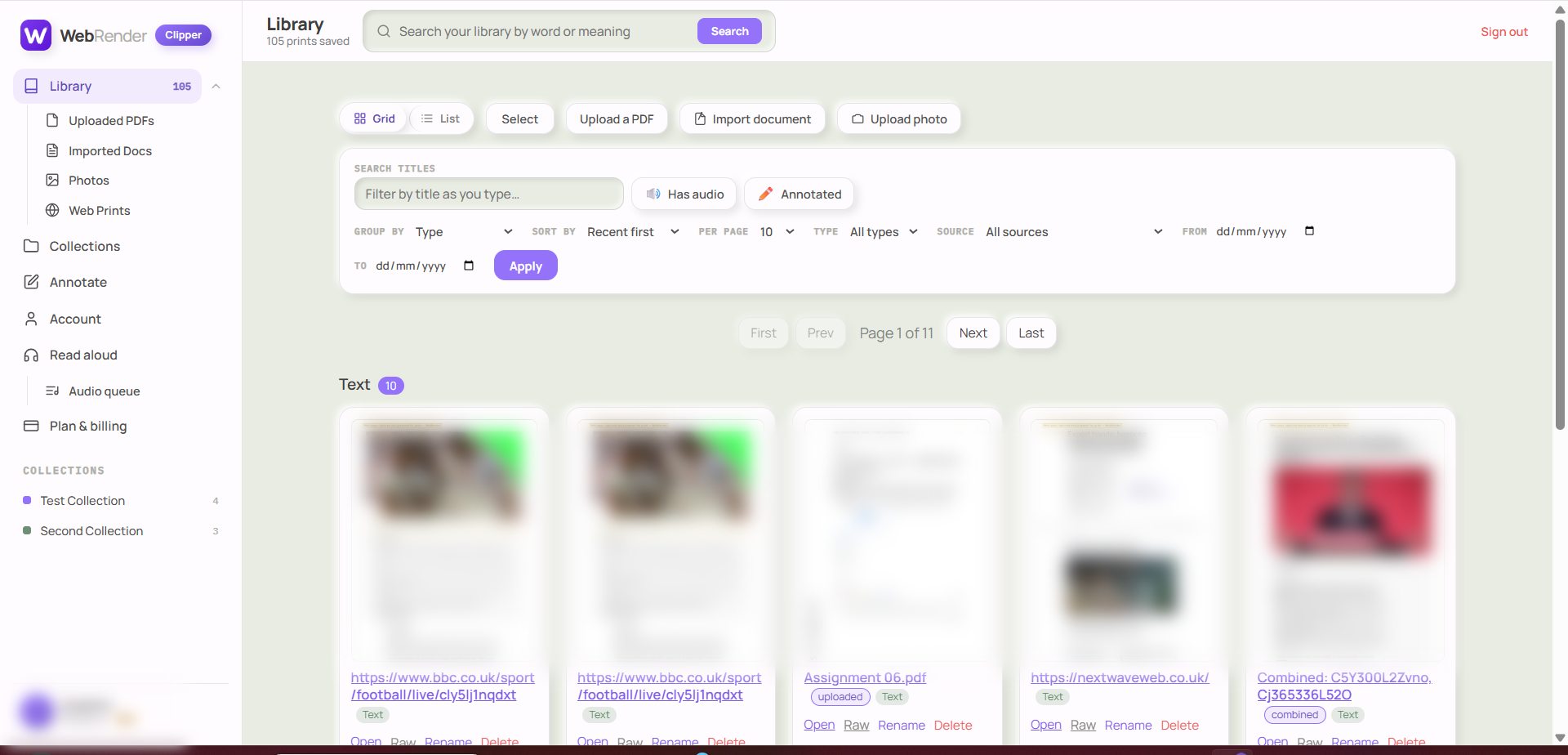
Everything you clip — on a free or premium account — lands in your Webrender Library, a workspace you can reach from any browser. It sorts and tags everything automatically, so it's at your fingertips to search by word or meaning. No more hunting for that screenshot, poster, infographic or clip you saved somewhere — it's in your library, ready the moment you need it.
One home for everything — clips sent over from the Webrender Clipper extension, plus your own uploads, imported documents and photos, all managed side by side.
You can add your own content, too — import, upload or snap photos, all stored in your personal library ready to retrieve whenever you need them.
Don't use Chrome? No problem — the Webrender Library holds all your content and works in every other browser.
*Annotation & mark-up compatible with most leading annotation software.
One workflow, two tools, a lot of jobs
Webrender Clipper clips straight from your browser toolbar. Webrender Library keeps every capture — ready to search and organise. If you read, mark up and keep things from the web, Webrender fits the way you already work.
Capture, annotate, collate — in one place
One tool, three simple steps — clip a live page with the Chrome extension, mark it up, then collate it into a clean, combined PDF.
Everything after the clip
Beyond the extension, these run in the full Webrender Library web app — no install, works in any browser.
Capture in Chrome, then annotate & collate anywhere
Grabbing live pages runs through the Chrome extension. Everything after that — your library, annotating and collating — works in any browser, no install needed.
Everything in the toolkit
Start free then upgrade when it pays off
Free — your notes and clips are searchable and printable. Premium — your notes are understood and read aloud, without limits. Start Premium with a 7-day free trial — card up front, nothing charged if you cancel before it ends.